RCC Sentinel is purpose-built for Windows Server administrators who want complete, real-time visibility without enterprise-tier complexity or cost. Here is everything you get out of the box.
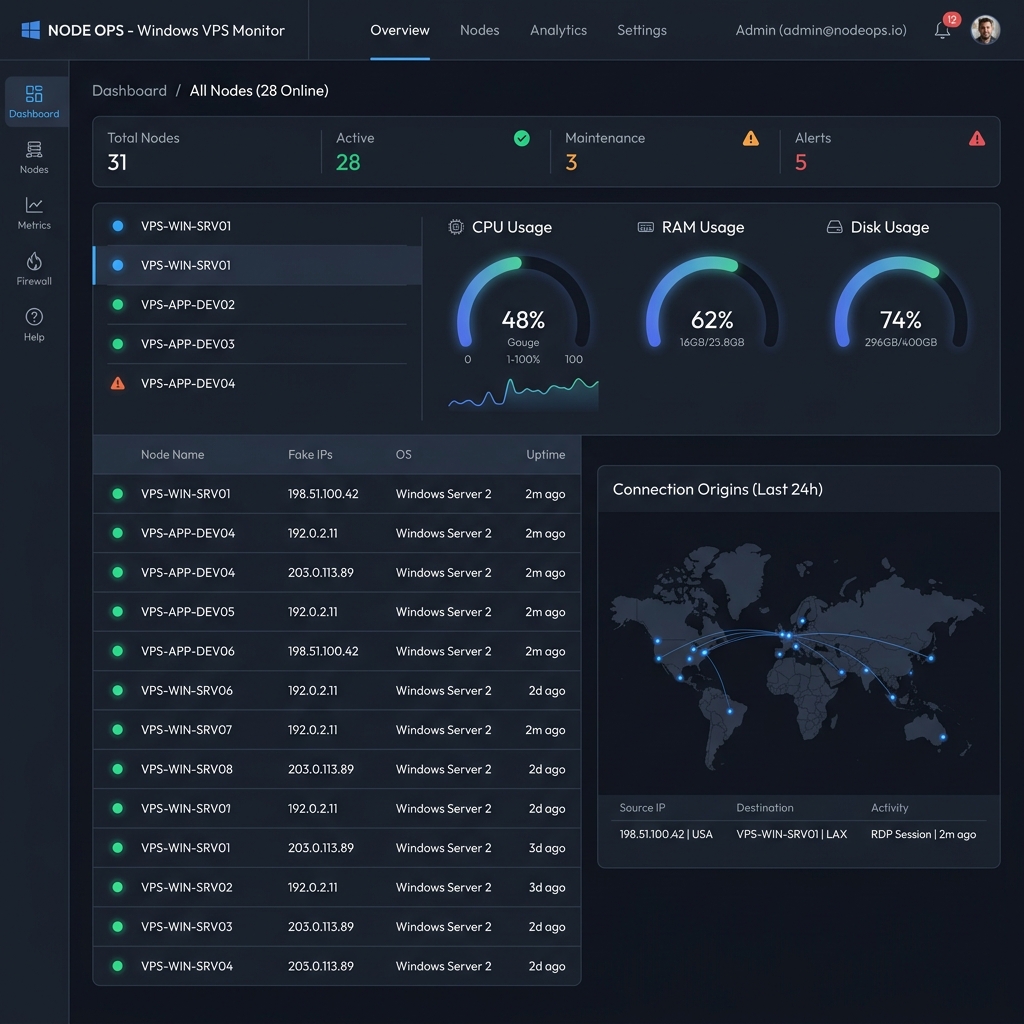
The Overview tab opens with the four metrics that matter most — CPU, RAM, Disk, and Active Connections — displayed as large, at-a-glance readouts. Below them, a live world threat map renders animated connection arcs showing exactly where your RDP traffic is originating from in real time.
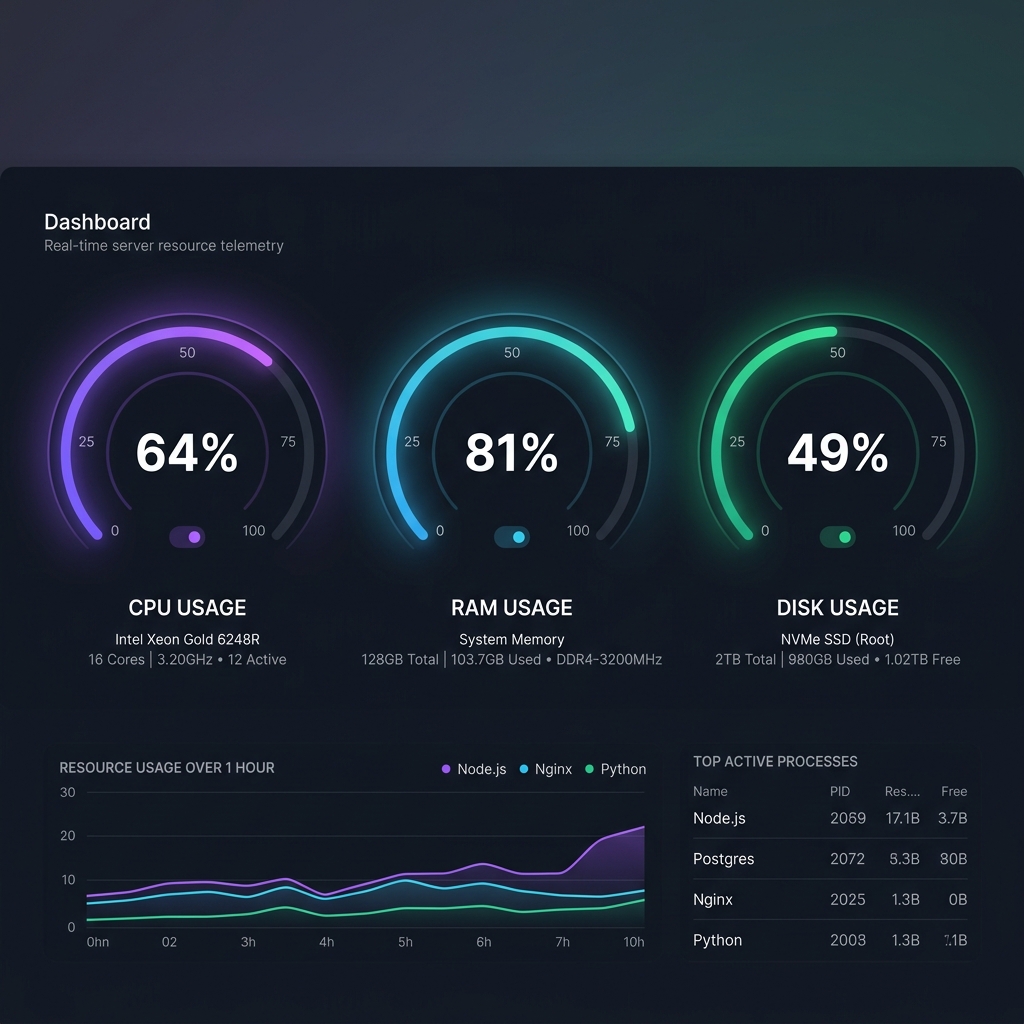
Three animated circular gauge dials give you a live read of your server's three most critical resources. Each dial refreshes every 30 seconds and includes detailed sub-metrics below the main percentage — so you get the full picture without opening a terminal.
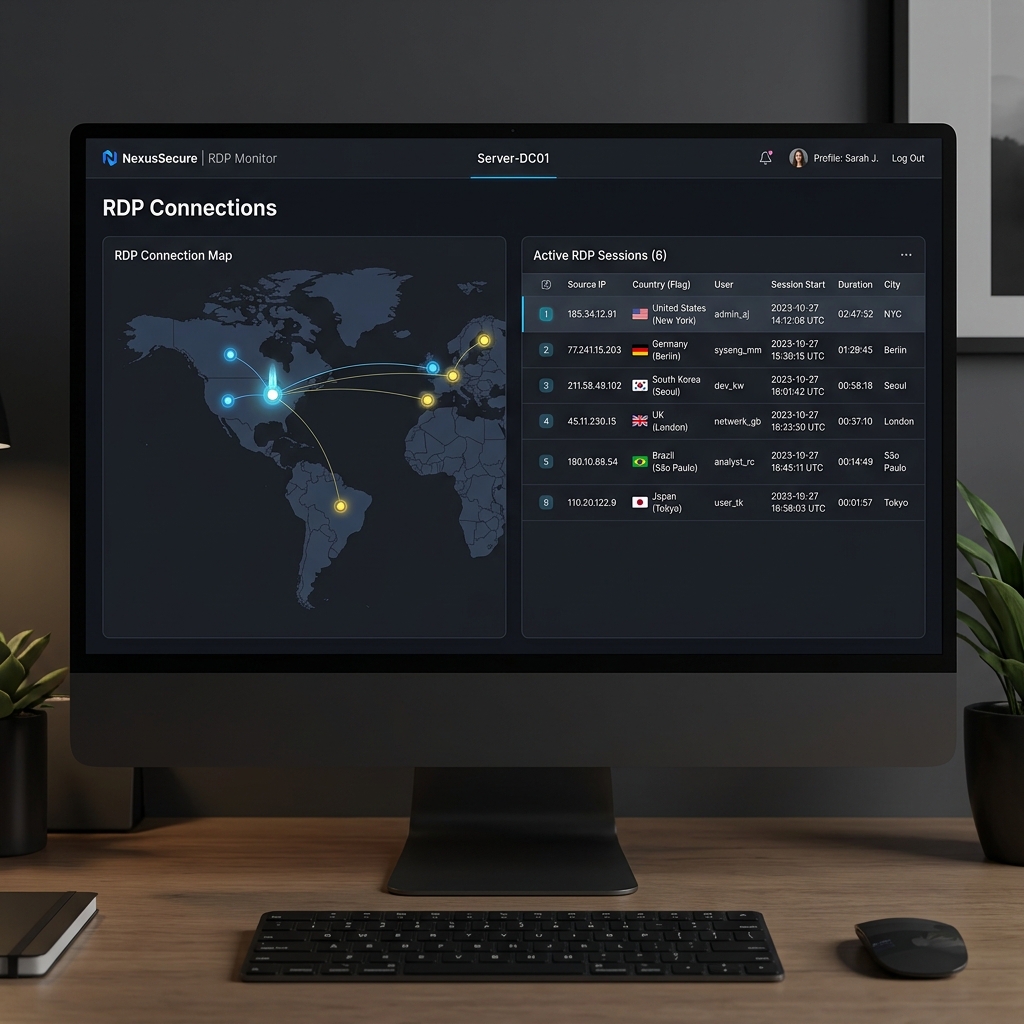
The Connections panel gives you an unfiltered, real-time view of every active and recent network connection on your server. You see the source IP geo-located to country and city, the port used, the connection state, and a precise start timestamp. A separate Auth Logins Audit table shows Windows Security Event Log entries for successful and failed login attempts.
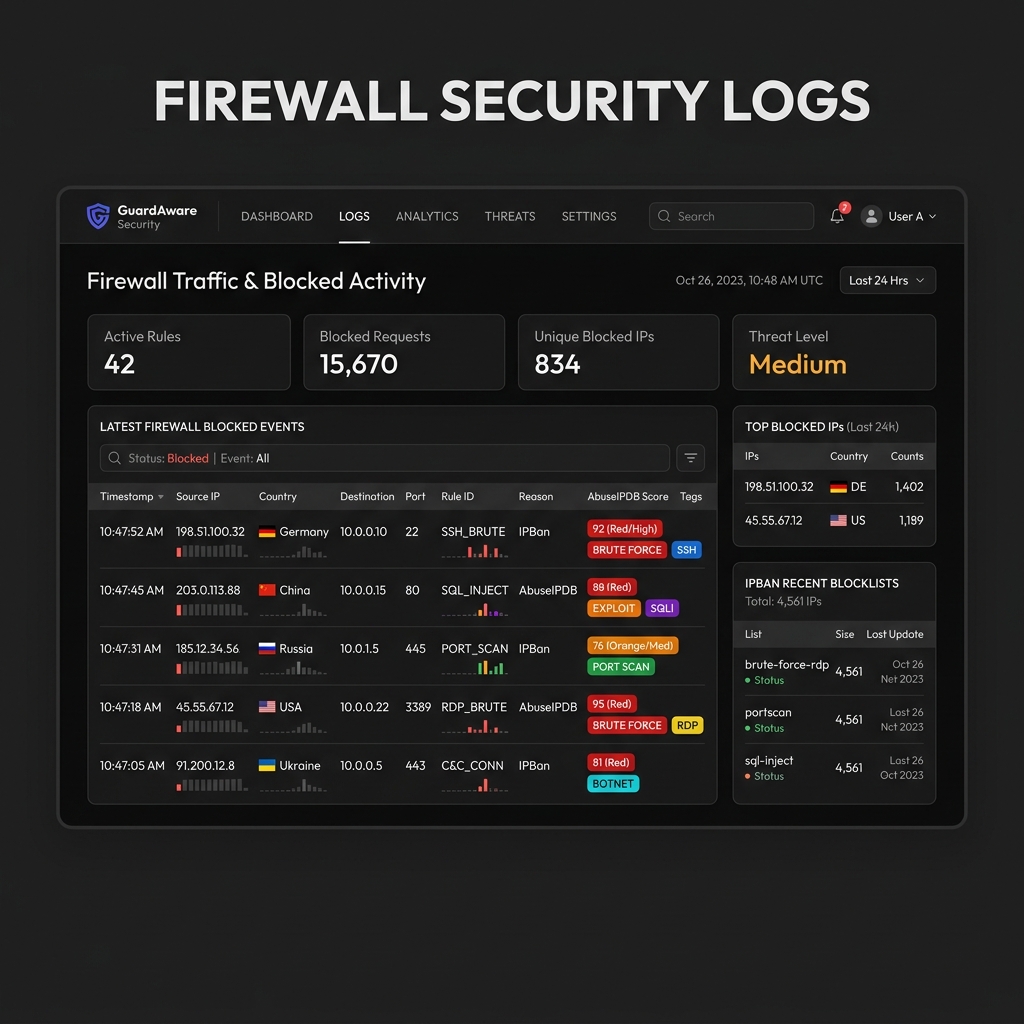
If your server runs IPBan, RCC Sentinel reads the firewall's blocked-IP list and enriches every entry with live threat intelligence from AbuseIPDB. You get a confidence score, abuse category tags, and reporting history for every IP address your firewall has silently blocked — giving you the context to understand your threat landscape.
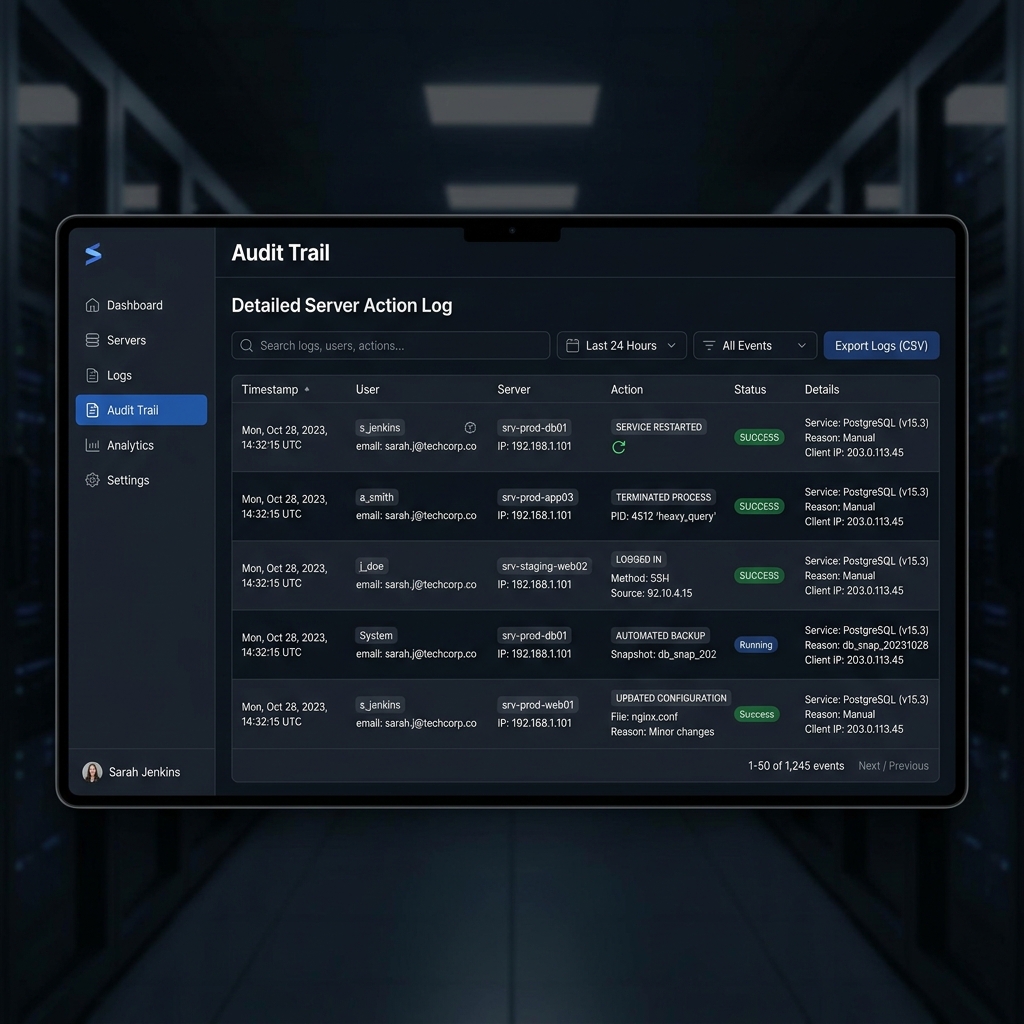
Every event — whether detected automatically by the agent or triggered by you through the dashboard — is written to a searchable, filterable audit log. This gives you a complete picture of what happened on each server and when, which is invaluable for incident response and compliance.
Browse, start, stop, and restart any Windows service remotely. No RDP session needed. Every action is authenticated and logged.
See all active processes with CPU and RAM usage. Remotely kill any runaway or suspicious process with one click from the browser.
Check pending and installed Windows updates, schedule restarts, and trigger remote reboots to complete patch installations.
Configurable threshold alerts delivered as rich HTML emails with VPS name, public IP, exact metric values, and timestamps.
Launch secure remote desktop sessions directly in your browser. Access your Windows VPS instantly with built-in audio and clipboard support.
Unique API key per VPS node ensures agents are individually authenticated. Regenerate keys any time from the dashboard.
 RCC SENTINEL